Your current USB connection is the starting point.
If plugging your phone into the correct port already opens CarPlay or Android Auto, this category may apply to you.
Wireless CarPlay & Android Auto adapters
If your car already uses wired CarPlay or Android Auto, an adapter may remove the cable from your daily routine. Here’s how to check compatibility—and whether TopCarPlay makes sense for your setup.
Lose the cable. Not the facts.
Independent category guide. Not the manufacturer or seller.
One option to evaluate
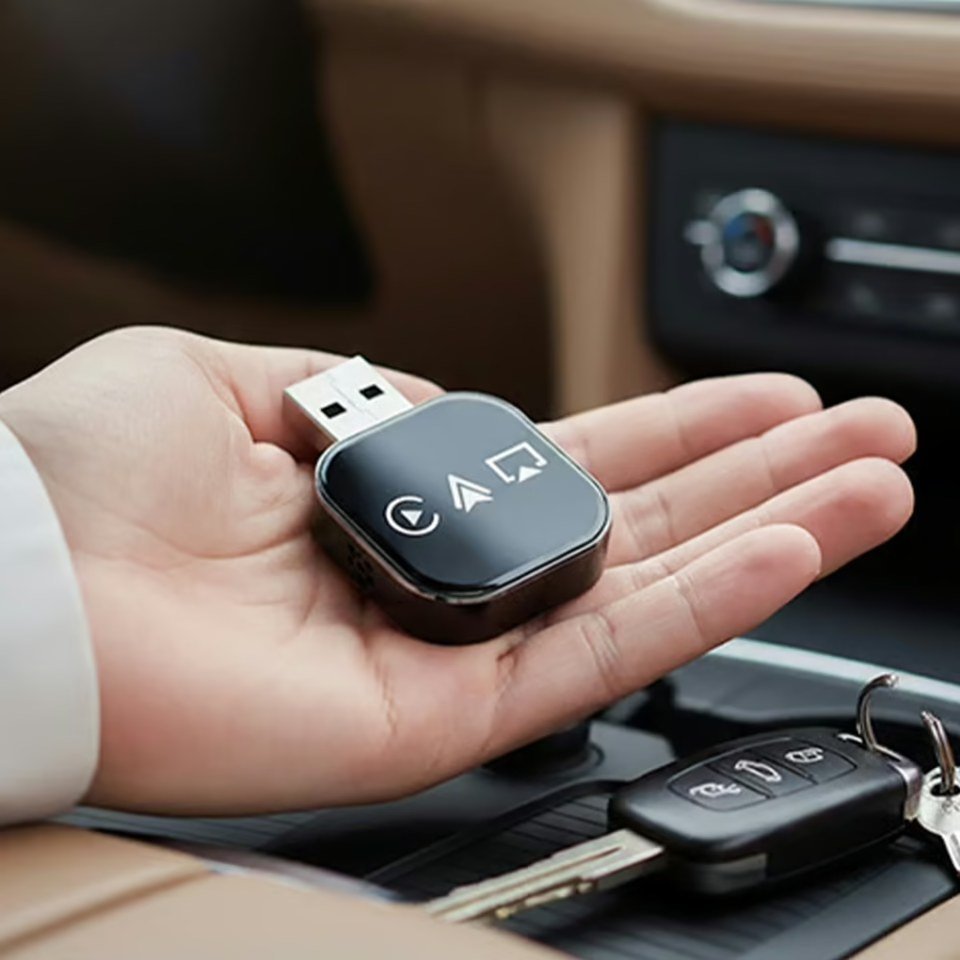
TopCarPlay is presented as an option that covers the category’s essential criteria—not as a ranked winner. Based on the seller’s current product information:
These are seller-stated product details, not Buyer Waypoint test results. Confirm your exact vehicle, phone, data port and current terms before purchase.
Affiliate disclosure: Buyer Waypoint may earn a commission from qualifying referrals. Buyer Waypoint is independent from the seller.
Start with the category, not the claims
A wireless adapter is a connection upgrade for a compatible wired system. It is not a new screen, head unit, or a way to add CarPlay where the vehicle never had it.
If plugging your phone into the correct port already opens CarPlay or Android Auto, this category may apply to you.
It connects at the vehicle’s data-capable USB port, then communicates wirelessly with a compatible phone after setup.
If the dashboard capability is missing, look for a compatible head unit or vehicle-specific solution instead.
60-second fit check
Answer three practical questions. This check is guidance—not a substitute for confirming your exact year, model, trim, phone, and USB port with the seller.
No personal information is collected. This check runs only in your browser.
How setup works
In practical terms, TopCarPlay stays plugged into the vehicle’s working data port and communicates wirelessly with the phone. The seller lists Bluetooth 5.0 and 5GHz Wi-Fi; it does not publish a detailed technical breakdown of each connection stage.
For a compatible setup, the everyday benefit is simple: the phone can stay in a pocket or bag on short trips, with less repeated cable handling.
Plug the adapter into the USB data port that currently launches wired CarPlay or Android Auto. Its main plug is USB-A; use the included USB-C adapter if your working data port is USB-C.
TopCarPlay instructs users to connect the adapter and follow the prompts on the vehicle display. The seller says no companion app is required for setup.
According to the seller, the phone reconnects when the vehicle starts. Actual connection behavior can still vary with the vehicle, phone, and operating system.
A vehicle without existing wired support needs a different type of solution. This distinction should be clear before any product comparison.
Compare before you click
Brand language can sound similar. Compare the details that affect whether an adapter fits your actual car, phone, and routine.
| Decision point | Why it matters | What to verify |
|---|---|---|
| Exact compatibility | Year, model, trim, phone, operating system, and port can affect fit. | Use the seller’s current compatibility guidance for your exact setup. |
| Connection routine | The category is valuable when repeated plugging-in is genuine friction. | Review current setup and reconnection instructions; behavior can vary by setup. |
| Charging expectations | Wireless data does not automatically provide wireless charging. | Plan a separate charging method if you need power during a drive. |
| Current seller terms | Shipping, returns, support, and product terms can change. | Read the current terms on the seller site before purchasing. |
Claims vs. checks
This guide does not treat promotional language as independent evidence.
What the product category is intended to do
What you should verify yourself
Decision guide
Separate the desire to go wireless from the technical requirement to make the adapter work.
The current cable connection feels like repeated friction.
The category is a poor fit when the technical foundation is missing—or the upgrade solves no real problem.
Qualified next step
If the fit check points to this category, TopCarPlay is one option to investigate.
This guide does not claim universal compatibility or hands-on testing. Your exact vehicle and phone combination should determine the next step.
Common questions before choosing
Connect your phone with a working data cable to the vehicle’s relevant USB port. If the dashboard launches Apple CarPlay or Android Auto, you have the essential starting point. Still confirm the exact vehicle, trim, and phone combination before purchasing.
Not by itself. A wired-to-wireless adapter depends on CarPlay or Android Auto already being available through a wired connection. A car without that capability may require a compatible head unit or another vehicle-specific solution.
Not necessarily. Some ports provide charging only. The relevant port is the data-capable one that already launches CarPlay or Android Auto when your phone is connected by cable.
If the built-in wireless connection works reliably for your routine, an additional adapter may be unnecessary.
No. A wireless connection and wireless charging are separate features. Removing the data cable does not add a charging pad or wireless charging capability to the vehicle.
Check the current compatibility guidance for your vehicle year, make, model, trim, phone type, and operating system. Also review the seller’s current product, shipping, return, and support terms directly rather than relying on assumptions.
Your next step
If wired CarPlay or Android Auto already works and removing the cable would improve your routine, check TopCarPlay’s current compatibility details for your exact vehicle and phone.
Verify compatibility & current detailsAffiliate disclosure: Buyer Waypoint may earn a commission from qualifying referrals. Buyer Waypoint is independent and is not the manufacturer or seller.